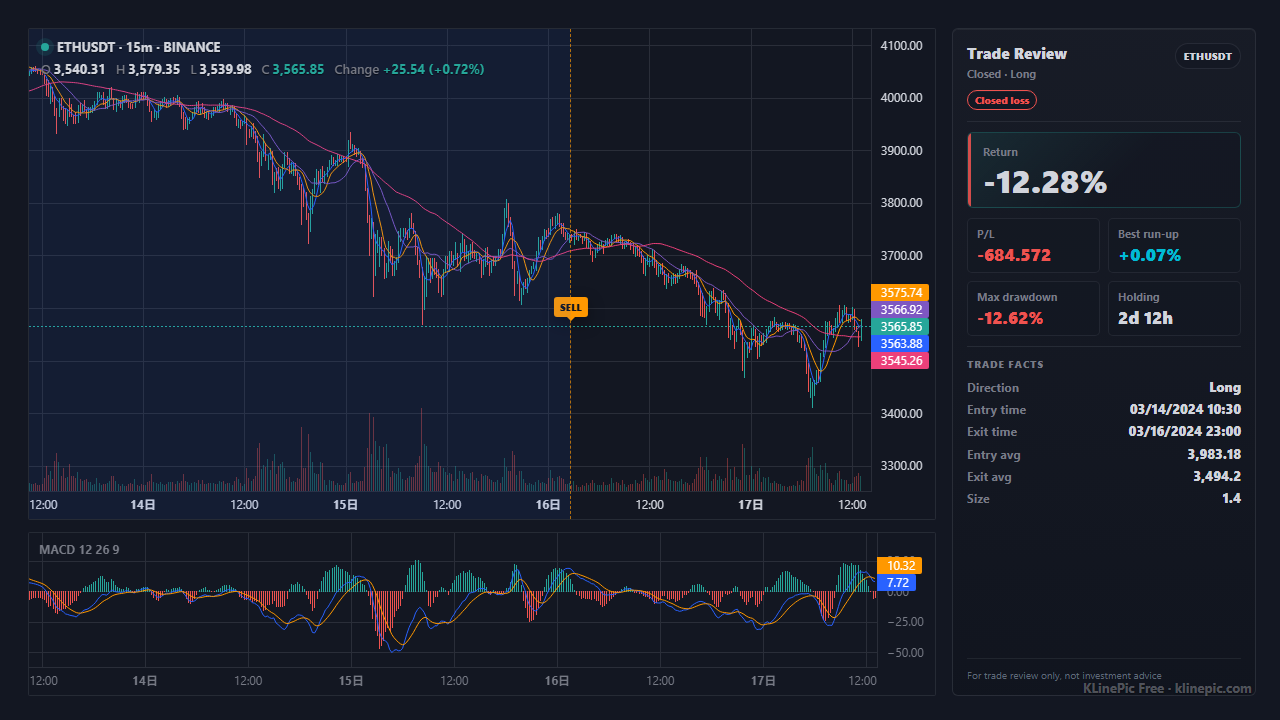
Binance ETHUSDT
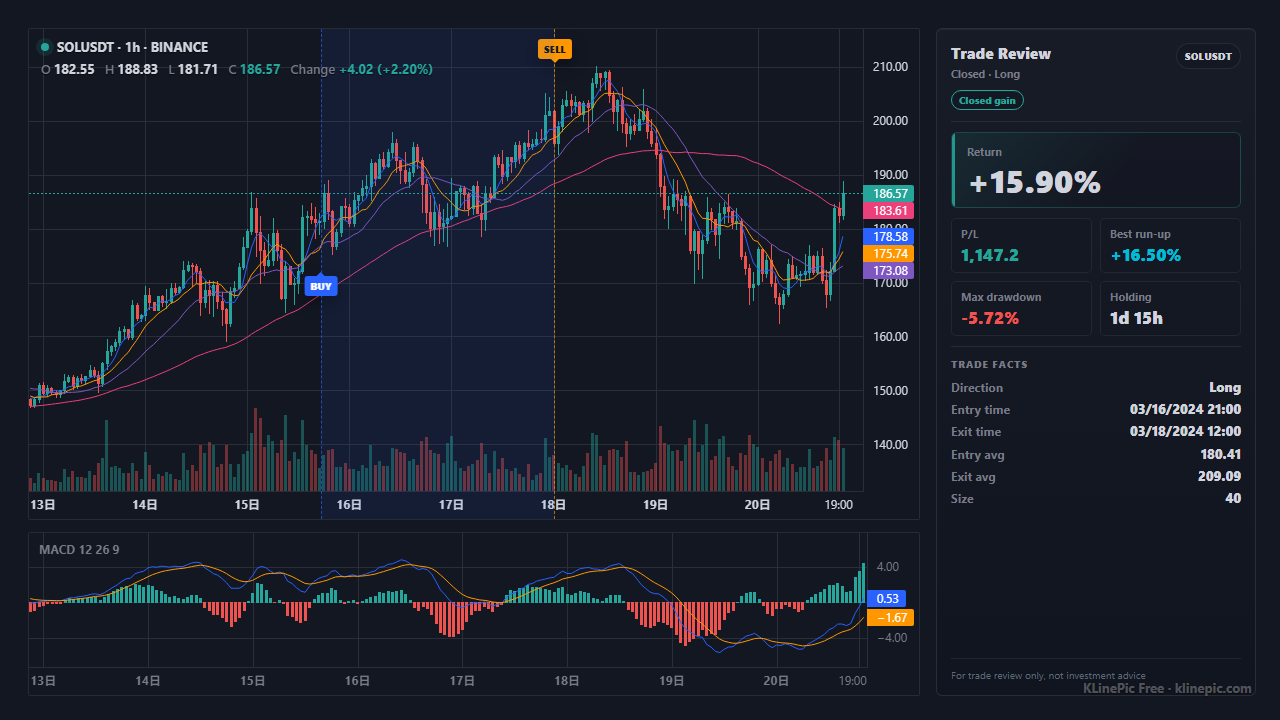
Mapped Binance fills become a crypto entry/exit review chart with return, drawdown, and indicator context.
Input CSV | Output PNG | Guide
Public example pack
This page keeps KLinePic's public examples in one place: every card links to a sample input, a real output PNG, the matching workflow, and the long-form guide.
Mapped Binance fills become a crypto entry/exit review chart with return, drawdown, and indicator context.
Input CSV | Output PNG | Guide
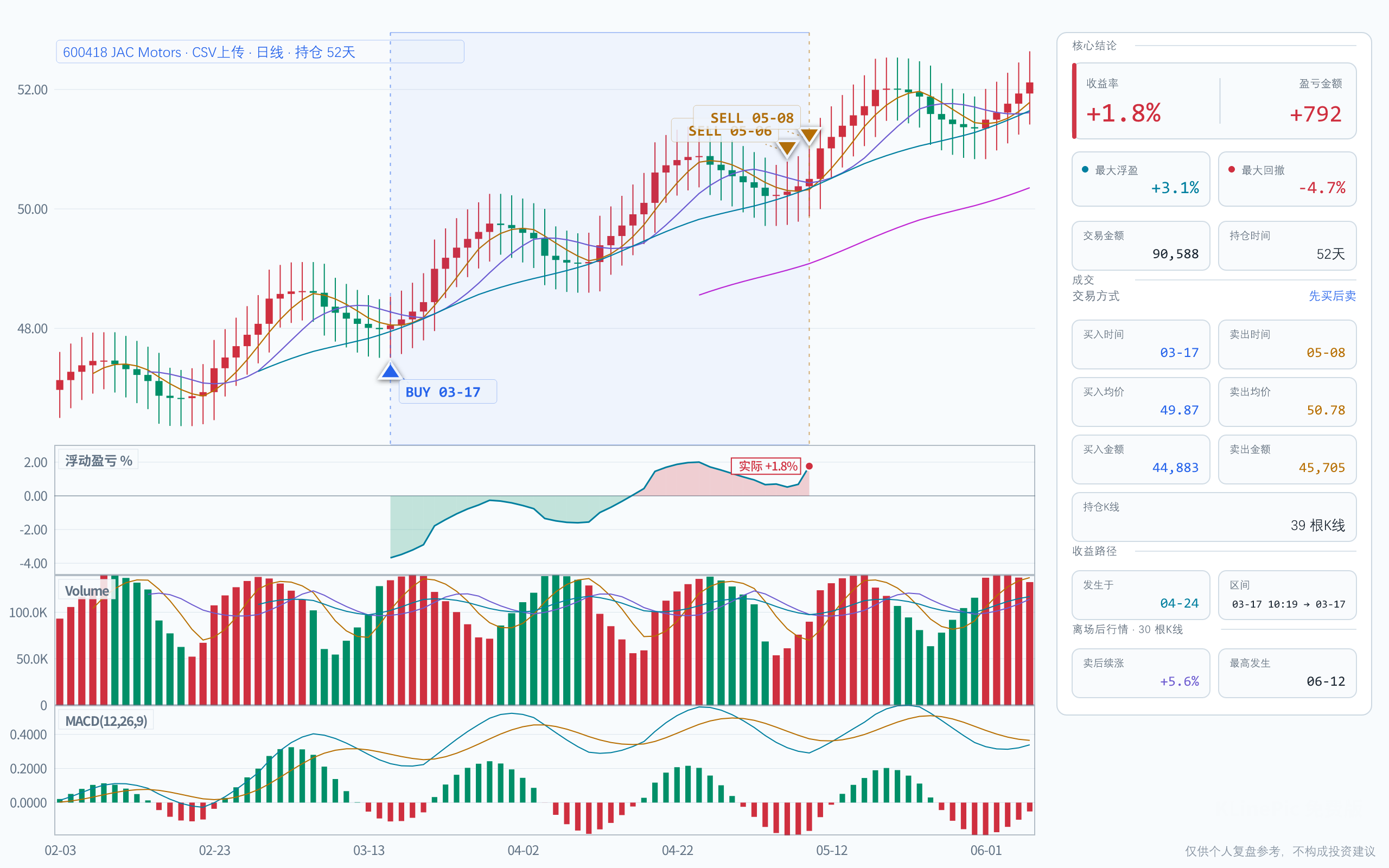
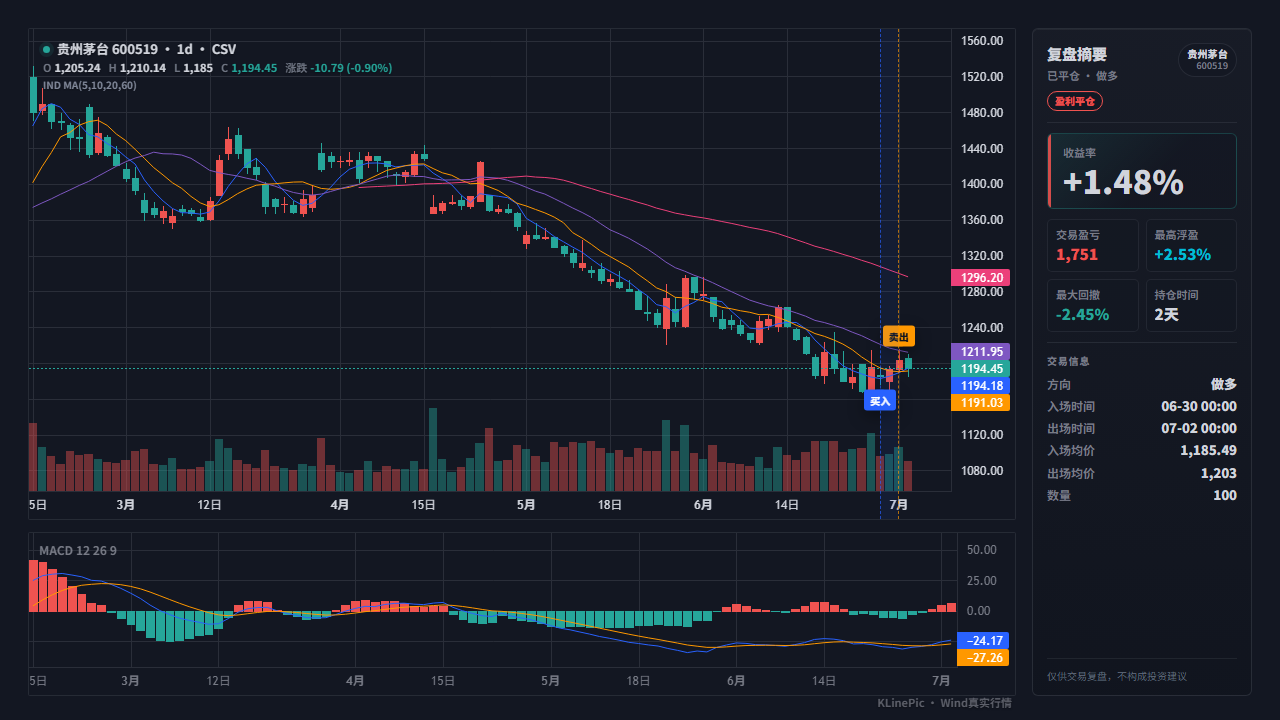
Broker or Tonghuashun rows become A-share buy/sell markers while non-trade rows stay out of the chart.
Input CSV | Output PNG | Guide
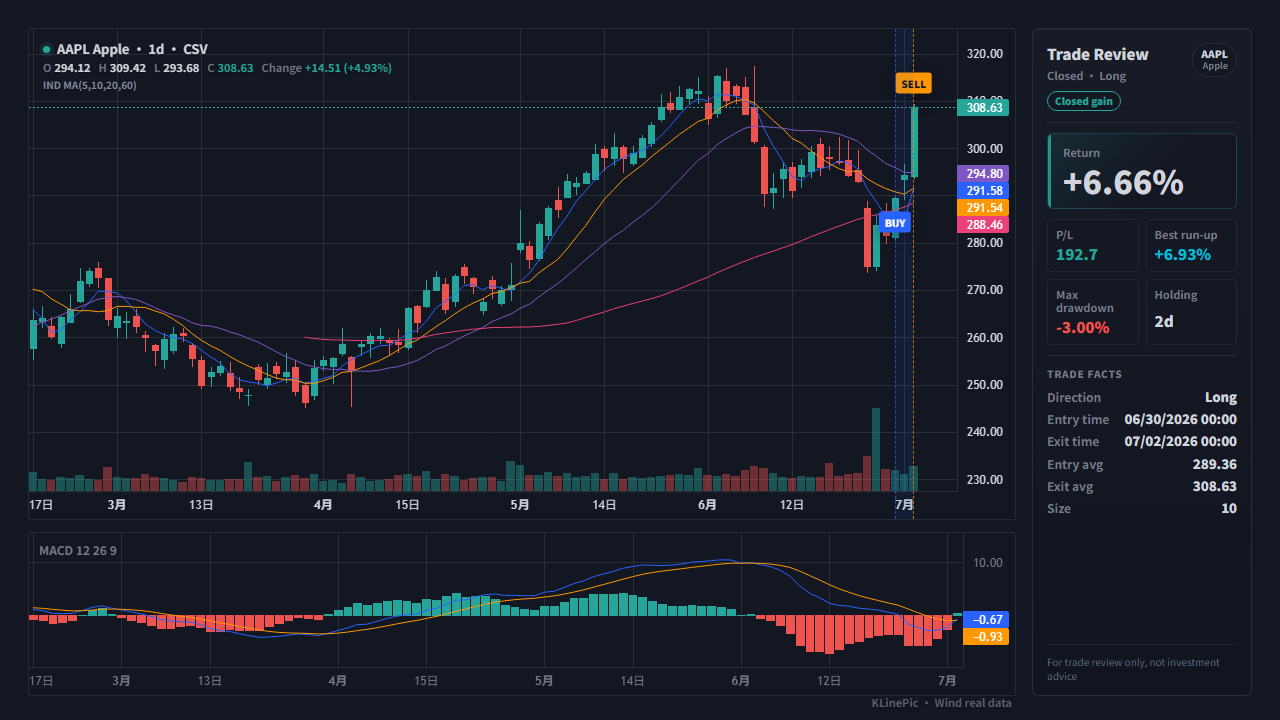
US stock journal rows use ticker, timezone-aware fill time, side, price, and quantity to place markers correctly.
Input CSV | Output PNG | Guide
A 6-digit A-share code plus buy/sell rows becomes a chart with symbol, indicator details, return, amount, and drawdown.
Input CSV | Output PNG | Guide
External agents can use JSON input to validate, generate one chart, or batch export review chart images.
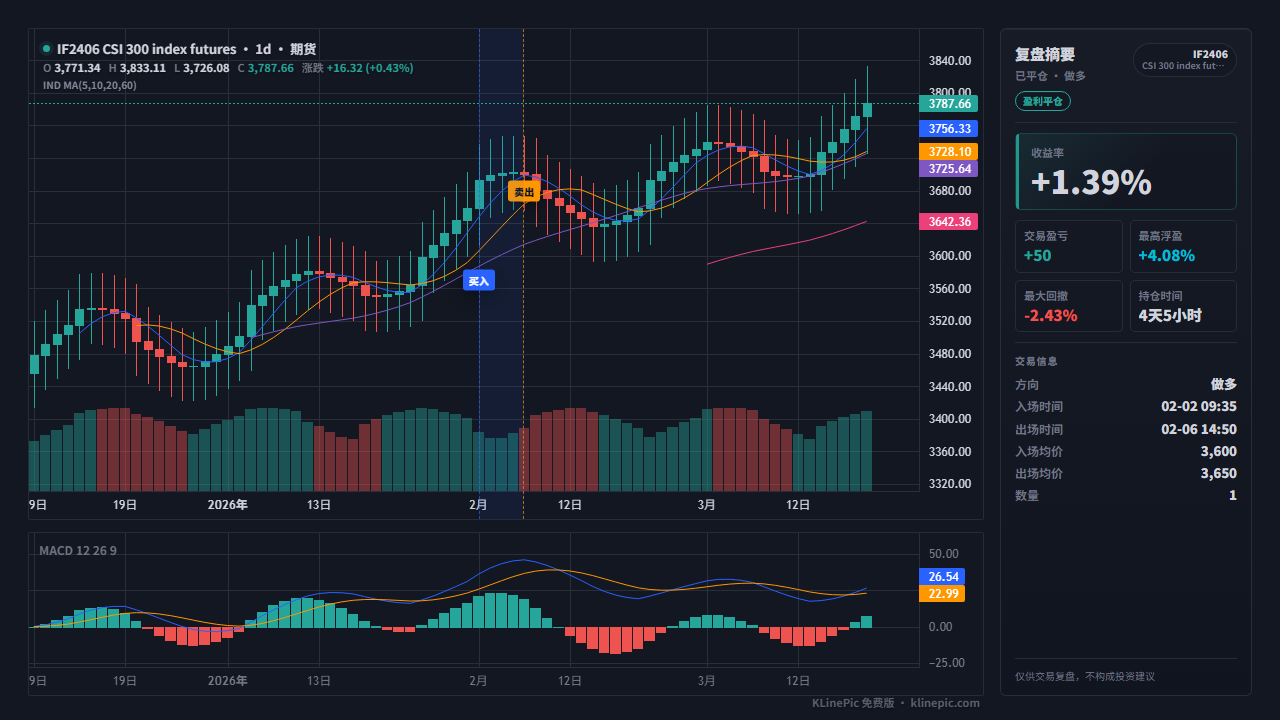
Futures statement buy-open and sell-close fills fold into one long round trip with entry/exit markers and P/L.
Input CSV | Output PNG | Guide
OKX, Bybit, HTX/Huobi, Bitget, Gate.io, MEXC, Coinbase, Kraken, and KuCoin exports should be mapped to stable fields first.
Input CSV | Output PNG | Guide
中文搜索入口:这些样例对应“交易复盘图样例”“交割单复盘图样例”“期货交易复盘图样例”“AAPL交易复盘图”“600519交易复盘图”“自动生成交易复盘图API”等实际问题。