A sell is not always an exit
On perps, closing a long is a sell and opening a short is also a sell. Map event_type and position_side separately so a short entry is never mistaken for a long exit.
Hyperliquid trade history chart
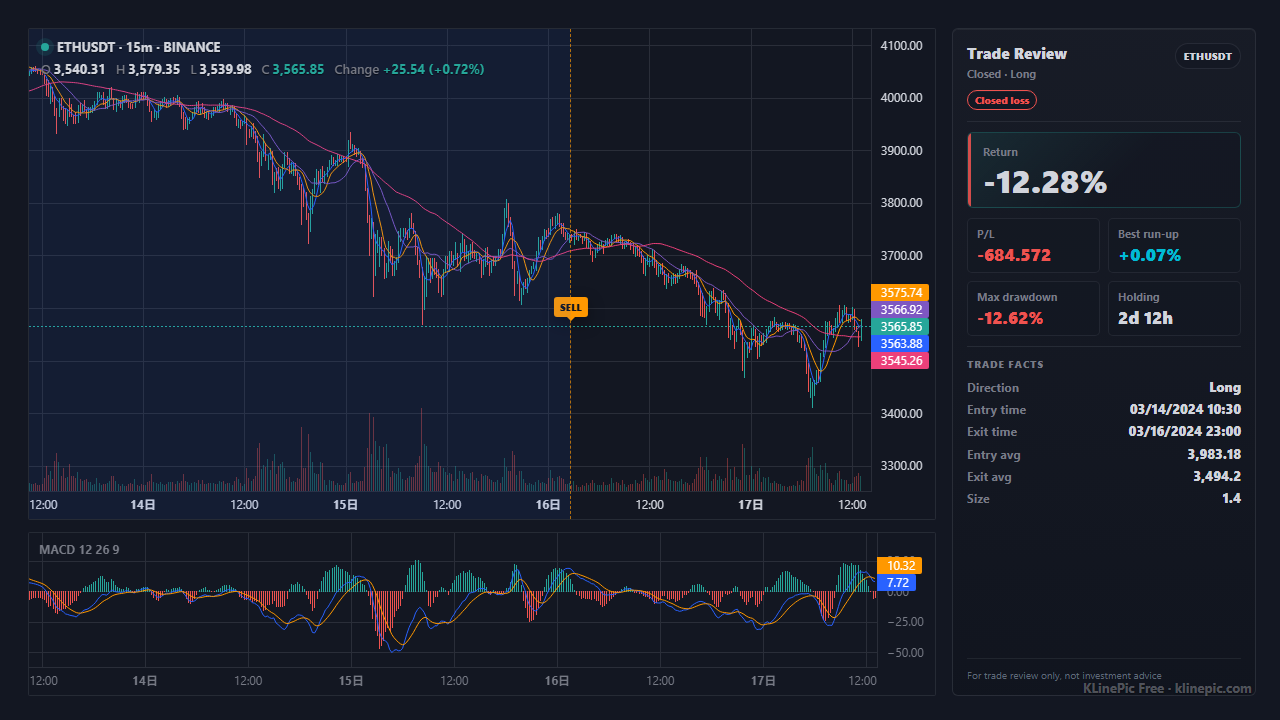
This guide is for Hyperliquid traders who want their real perps fills drawn on the price path instead of buried in an on-chain history. Hyperliquid is an on-chain perpetual-futures DEX, so there is no mailed broker statement — your executed fills live in the Hyperliquid interface and its API, tied to your wallet address. Export or pull those fills, map them into KLinePic's CSV schema, and render a shareable review image with long/short entry and exit (B/S) markers, holding window, return, max run-up, max drawdown, and optional indicators such as MACD.
KLinePic is free to start and needs no account to render — the loop from fills to review image takes minutes, and it never touches your wallet or keys.
Because Hyperliquid is an on-chain perps DEX rather than a traditional broker, there is no statement to request and no PDF in your inbox. Instead, your trade history is the record of executed fills for your wallet address, which is typically available in two places: the Hyperliquid web interface and the Hyperliquid API. The exact menu labels, columns, and any built-in download can change over time, so treat the steps below as a shape to follow and refer to Hyperliquid's own docs and interface for the current path.
Whichever path you use, the data is tied to a wallet address, so double-check you exported the right account before mapping.
Hyperliquid exports and API responses do not use KLinePic's column names, and exact headers can vary between the interface and the API — treat this as a checklist against your export's typical fields. The target schema is fixed: KLinePic reads trade_id, symbol, event_type, position_side, time, price, quantity, fee, note, documented in the data protocol. Extra columns are ignored on import and listed back to you; copy details such as the fee asset or wallet address into note only when you want them preserved in the normalized record.
The direction field does double duty. On perps, a single Hyperliquid fill direction — for example an "open long" or "close long" — tells you both the buy/sell action and the position side. Split it into two KLinePic columns: event_type (buy or sell) and position_side (long or short). Opening a long and closing a short are both buys; closing a long and opening a short are both sells. That means event_type alone cannot tell you whether a sell was an exit from a long or an entry into a short — the explicit position_side is what keeps each trade on the correct side.
| KLinePic field | Your export's typical column | Notes |
|---|---|---|
| trade_id | Usually none — create your own | One stable id per round-trip trade; entry and exit fills share it. |
| symbol | Coin / market column | Hyperliquid perps are coins such as BTC, ETH, SOL. Use the coin as the symbol and keep each market separate. |
| event_type | Derived from the fill direction | Opening a long or closing a short is a buy; closing a long or opening a short is a sell. Normalize to lowercase. |
| position_side | Derived from the fill direction | Required on perps. Long fills are long, short fills are short — never leave this blank, or entries and exits blur together. |
| time | Fill time / timestamp column | Hyperliquid fills are typically UTC, often a Unix epoch. Convert to an explicit offset such as +00:00. |
| price | Fill / executed price column | Use the executed fill price, not an order's limit price. |
| quantity | Size in coin units | Coin units (3 ETH), not the USD notional of the fill. Stay consistent across a trade's rows. |
| fee | Fee amount column | Optional, but useful for honest net-return journaling. |
| note | Fee asset / wallet, if kept | Optional free text. There is no fee_asset or wallet column in KLinePic — keep them as note text such as fee_asset=USDC, or drop them. |
Before mapping, your fills export may look something like this — the exact columns and labels vary between the interface and the API, but the shape is a row per executed fill with a direction that encodes long/short:
time,coin,dir,px,sz,fee,closedPnl,hash
2026-05-10T09:15:00,ETH,Open Long,2450.25,3,1.10,0.0,0xab12de
2026-05-10T18:45:00,ETH,Close Long,2528.70,3,1.14,235.35,0xcd34fa
Notice that both rows above are the same round-trip long: the first opens it (a buy) and the second closes it (a sell), yet both are on the long side. That is exactly why the mapped file needs an explicit position_side.
A complete Hyperliquid round-trip trade — one buy to open, one sell to close, same trade_id, both on the long side — looks like this after mapping:
trade_id,symbol,event_type,position_side,time,price,quantity,fee,note
HL-ETH-001,ETHUSDT,buy,long,2026-05-10T09:15:00+00:00,2450.25,3,1.10,fee_asset=USDC
HL-ETH-001,ETHUSDT,sell,long,2026-05-10T18:45:00+00:00,2528.70,3,1.14,fee_asset=USDC
A short trade mirrors this: the opening fill is a sell with position_side short, and the closing fill is a buy with position_side short. Scaling in or out simply adds more rows with the same id. The crypto exchange template ships this exact header so you can paste mapped rows straight in.
| KLinePic | Manual screenshot + spreadsheet | Typical trading-journal SaaS | |
|---|---|---|---|
| Setup time | Minutes: export, map, paste | Slow, repeated by hand per trade | Onboarding plus per-source import setup |
| Account required | No account needed to render | None | Usually requires sign-up first |
| Wallet / key access | None — renders from your file | None | Sometimes wants read API access |
| Long/short handling | Explicit position_side per fill | Easy to mislabel by hand | Varies by product and plan |
| Output | Annotated K-line image with trade metrics | Static screenshot plus separate numbers | Web dashboards and statistics |
| Cost to start | Free to start | Free, but pays in time | Commonly subscription-based |
On perps, closing a long is a sell and opening a short is also a sell. Map event_type and position_side separately so a short entry is never mistaken for a long exit.
Hyperliquid lets you hold and flip long or short on the same coin. Without an explicit long/short, a closing buy is indistinguishable from an opening buy on the chart.
Hyperliquid fills are typically UTC, often as an epoch. Convert to local and every marker shifts by hours. Encode the offset explicitly — +00:00 — in time.
Resting and canceled orders record what you asked for, not what executed. Drop every row without a real fill price and size so they cannot become false markers.
One order can execute in several fills. Keep the rows but give them one trade_id; otherwise a single scale-in reads as several unrelated trades.
Exports may show both coin size and its USD notional. quantity must be the coin amount (3 ETH), not the dollar value of the fill.
Pull your fills from the Hyperliquid interface or its API, map them into KLinePic's CSV fields (trade_id, symbol, event_type, position_side, time, price, quantity, fee, note), then upload or paste the CSV to render. No account is needed.
Yes. Hyperliquid perps such as BTC, ETH, and SOL render like any other fills once each row has symbol, event_type, position_side, time, price, and size. Because these are perpetuals, every row should carry an explicit long or short position_side.
No. KLinePic renders from an uploaded or pasted file, so it never touches your wallet or keys. Your fills are tied to a wallet address in the Hyperliquid data, but the chart only needs the exported rows.
Hyperliquid fills are typically timestamped in UTC, often as a Unix epoch in your export. Whatever form yours takes, normalize it to one explicit offset such as 2026-05-10T09:15:00+00:00 so markers land on the correct candles.
Keep event_type (buy or sell) separate from position_side (long or short). Closing a long is a sell, and opening a short is also a sell, so the buy/sell flag alone cannot tell them apart — the explicit position_side is what keeps each trade on the right side.
Yes. Batch rendering is supported — a month of Hyperliquid fills becomes a full set of review images in one pass, via the web UI or the documented Agent API.